
Scottish AI Register
Learn about where we use or plan to use AI systems to provide better public services
Search and filter the register
Showing 1 to 6 of 34 systems
AI systems
Overview
The proposed system involves the use of AI-based text-to-speech software (ElevenLabs) to support the production of educational video content. How it is used
The system operates with defined technical and security controls to ensure that it functions as intended and is appropriately maintained. These include: Scope
• Use of AI-based text-to-speech technology to convert pre-prepared, non-sensitive information into audio narration
• Download of generated audio files to SG devices
• Use of this audio within Clipchamp to assemble it alongside pre-prepared presentations to produce video content
• Publication of videos within an internal SG learning library and, where appropriate, sharing across the wider public sector
• Use of the system as a controlled support tool to improve efficiency, consistency, and scalability of content production Human Oversight
Human review, editorial control, and professional judgement are carried out by staff to maintain quality and accuracyOverview
Microsoft 365 Copilot (Premium) is an AI-powered workplace assistant provided by Microsoft and integrated with Microsoft 365 applications such as Word, Outlook, Teams, Excel and PowerPoint. It helps users create and summarise content, find information, analyse work-related data and complete routine tasks more efficiently. How it is used
Microsoft 365 Copilot (Premium) is used by authorised staff within the organisation’s Microsoft 365 environment to support tasks such as drafting and summarising documents, preparing for meetings, analysing information and finding relevant work content. It operates using the user’s existing Microsoft 365 identity, permissions and security controls, so users can only access organisational information they are already permitted to see. Scope and limitations
Microsoft 365 Copilot is designed to assist staff with work tasks such as drafting, summarising, analysing information and finding relevant content within Microsoft 365. It is a support tool and can produce inaccurate or incomplete outputs, so users remain responsible for checking its responses. It is not designed or permitted to replace human judgement or make automated decisions about individuals, and must be used in line with Scottish Government information handling, security and data protection requirements. Human oversight
Users are responsible for reviewing Copilot outputs for accuracy, context, confidentiality, bias and suitability before using or sharing them, and should verify important information against trusted sources. Errors or repeatable technical faults are escalated through the Service Desk to M365 Operations and, where necessary, Microsoft; data protection, FOI, legal or information governance concerns are directed to the appropriate specialist teamOverview The AI website assistant is a Microsoft Copilot Studio-based conversational agent deployed on scottishwater.co.uk, designed to help customers, businesses, developers and community groups find published information more quickly by answering questions in plain English, rather than requiring users to search the site manually. How it is Used The system was introduced to reduce the time visitors spend searching for information — particularly during supply incidents when speed matters most — to extend availability beyond contact centre hours, and to free contact centre capacity to focus on account and incident calls that genuinely need a human. Before adopting Copilot Studio, Scottish Water considered retaining its existing search/FAQ experience and building a custom AI solution; both were assessed as less able to meet these aims within a reasonable timeframe (see Alternatives Considered). Scope and Limitations Technically, the assistant is grounded only in content already published on scottishwater.co.uk, refreshed into the system on a scheduled basis, and does not train or ground on customer, employee or operational personal data. It uses a small number of Copilot Studio connectors/actions to retrieve and surface published or approved information, and is hosted within Scottish Water's Microsoft tenant (see System Architecture). Human Oversight To ensure the system continues to function as intended, grounding content is refreshed on a schedule, conversations are reviewed periodically by the Digital Communications and Data Assurance Teams for quality, safety and factual accuracy, and any connectors/actions are re-tested when updated (see Maintenance). The assistant is assistive only: it does not make decisions about accounts, supply, billing or services, and a visible route to the Customer Contact Centre (0800 0778 778) is built into every conversation.
Overview
The system was used to support analysis of consultation responses collected from government departments as part of an assessment of compliance with Human Rights Minimum Standards and Minimum Core Obligations (MCOs).
How it is used
The exercise involved reviewing and synthesising a large volume of qualitative information across 9 rights areas, 63 MCOs, and three assessment questions per MCO. The primary objectives were to increase efficiency, reduce the time required for manual synthesis of qualitative data, improve consistency in the assessment of responses, and enable more sophisticated analysis than would have been feasible through manual review alone.
Scope and Limitations
The system was designed to create a number of reports or chapters that summarise the responses under different criteria and questions and to identify equalities references.
The system was not designed to infer further learning from the qualitative data provided. It was not intended to make policy decisions or recommendations.
Human Oversight
Throughout the process, outputs were proved and quality assured, decisions on format, language drafting etc remained with policy colleagues, and extensive editing was necessary.
Some data inputs were not handled well, especially when very large data sets were processed so manual data handling had to be done for one of the 9 reports. Overall however, the approach did save time and made it possible for the work to be undertaken given the volume of other work and competing priorities in the team.Overview — Objective 3Sixty is an information-management platform used to connect multiple information repositories and bring consistency, control and searchability to content. It helps the Inquiry discover, organise and federate information, supporting and extending organisational governance. How it is used — The Inquiry Team uses the platform to catalogue evidence. It can automate document classification, using metadata or generative AI, either fully or partially, analysing each piece of evidence and suggesting a classification. It also detects and flags duplicate pieces of evidence submitted by Inquiry providers, helping the team avoid redundant work. Scope and limitations — The platform is limited to assisting with good information management; it does not carry out any decision-making. Human oversight — all documentation flagged by the system is checked and reviewed by a team member.
Client Advisor Knowledge Assist is a generative-AI tool that helps agents find more accurate and faster responses to customer queries. It provides a more intuitive interface for engaging with operational guidance, giving a natural-language answer to a specific request and linking to the original guidance the response is based on, which is written by content designers and signed off by legal and policy experts to ensure reliability and accuracy.






Overview
The proposed system involves the use of AI-based text-to-speech software (ElevenLabs) to support the production of educational video content.
How it is used
The system operates with defined technical and security controls to ensure that it functions as intended and is appropriately maintained. These include:
Scope
• Use of AI-based text-to-speech technology to convert pre-prepared, non-sensitive information into audio narration
• Download of generated audio files to SG devices
• Use of this audio within Clipchamp to assemble it alongside pre-prepared presentations to produce video content
• Publication of videos within an internal SG learning library and, where appropriate, sharing across the wider public sector
• Use of the system as a controlled support tool to improve efficiency, consistency, and scalability of content production
Human Oversight
Human review, editorial control, and professional judgement are carried out by staff to maintain quality and accuracy
Overview
Microsoft 365 Copilot (Premium) is an AI-powered workplace assistant provided by Microsoft and integrated with Microsoft 365 applications such as Word, Outlook, Teams, Excel and PowerPoint. It helps users create and summarise content, find information, analyse work-related data and complete routine tasks more efficiently.
How it is used
Microsoft 365 Copilot (Premium) is used by authorised staff within the organisation’s Microsoft 365 environment to support tasks such as drafting and summarising documents, preparing for meetings, analysing information and finding relevant work content. It operates using the user’s existing Microsoft 365 identity, permissions and security controls, so users can only access organisational information they are already permitted to see.
Scope and limitations
Microsoft 365 Copilot is designed to assist staff with work tasks such as drafting, summarising, analysing information and finding relevant content within Microsoft 365. It is a support tool and can produce inaccurate or incomplete outputs, so users remain responsible for checking its responses. It is not designed or permitted to replace human judgement or make automated decisions about individuals, and must be used in line with Scottish Government information handling, security and data protection requirements.
Human oversight
Users are responsible for reviewing Copilot outputs for accuracy, context, confidentiality, bias and suitability before using or sharing them, and should verify important information against trusted sources. Errors or repeatable technical faults are escalated through the Service Desk to M365 Operations and, where necessary, Microsoft; data protection, FOI, legal or information governance concerns are directed to the appropriate specialist team
Overview The AI website assistant is a Microsoft Copilot Studio-based conversational agent deployed on scottishwater.co.uk, designed to help customers, businesses, developers and community groups find published information more quickly by answering questions in plain English, rather than requiring users to search the site manually. How it is Used The system was introduced to reduce the time visitors spend searching for information — particularly during supply incidents when speed matters most — to extend availability beyond contact centre hours, and to free contact centre capacity to focus on account and incident calls that genuinely need a human. Before adopting Copilot Studio, Scottish Water considered retaining its existing search/FAQ experience and building a custom AI solution; both were assessed as less able to meet these aims within a reasonable timeframe (see Alternatives Considered). Scope and Limitations Technically, the assistant is grounded only in content already published on scottishwater.co.uk, refreshed into the system on a scheduled basis, and does not train or ground on customer, employee or operational personal data. It uses a small number of Copilot Studio connectors/actions to retrieve and surface published or approved information, and is hosted within Scottish Water's Microsoft tenant (see System Architecture). Human Oversight To ensure the system continues to function as intended, grounding content is refreshed on a schedule, conversations are reviewed periodically by the Digital Communications and Data Assurance Teams for quality, safety and factual accuracy, and any connectors/actions are re-tested when updated (see Maintenance). The assistant is assistive only: it does not make decisions about accounts, supply, billing or services, and a visible route to the Customer Contact Centre (0800 0778 778) is built into every conversation.
Overview
The system was used to support analysis of consultation responses collected from government departments as part of an assessment of compliance with Human Rights Minimum Standards and Minimum Core Obligations (MCOs).
How it is used
The exercise involved reviewing and synthesising a large volume of qualitative information across 9 rights areas, 63 MCOs, and three assessment questions per MCO. The primary objectives were to increase efficiency, reduce the time required for manual synthesis of qualitative data, improve consistency in the assessment of responses, and enable more sophisticated analysis than would have been feasible through manual review alone.
Scope and Limitations
The system was designed to create a number of reports or chapters that summarise the responses under different criteria and questions and to identify equalities references.
The system was not designed to infer further learning from the qualitative data provided. It was not intended to make policy decisions or recommendations.
Human Oversight
Throughout the process, outputs were proved and quality assured, decisions on format, language drafting etc remained with policy colleagues, and extensive editing was necessary.
Some data inputs were not handled well, especially when very large data sets were processed so manual data handling had to be done for one of the 9 reports. Overall however, the approach did save time and made it possible for the work to be undertaken given the volume of other work and competing priorities in the team.
Overview — Objective 3Sixty is an information-management platform used to connect multiple information repositories and bring consistency, control and searchability to content. It helps the Inquiry discover, organise and federate information, supporting and extending organisational governance. How it is used — The Inquiry Team uses the platform to catalogue evidence. It can automate document classification, using metadata or generative AI, either fully or partially, analysing each piece of evidence and suggesting a classification. It also detects and flags duplicate pieces of evidence submitted by Inquiry providers, helping the team avoid redundant work. Scope and limitations — The platform is limited to assisting with good information management; it does not carry out any decision-making. Human oversight — all documentation flagged by the system is checked and reviewed by a team member.
Client Advisor Knowledge Assist is a generative-AI tool that helps agents find more accurate and faster responses to customer queries. It provides a more intuitive interface for engaging with operational guidance, giving a natural-language answer to a specific request and linking to the original guidance the response is based on, which is written by content designers and signed off by legal and policy experts to ensure reliability and accuracy.

This proof of concept explores how AI could support the translation of plain-English architectural policies into machine-readable AWS Config rules, helping to reduce the gap between written intent and technical enforcement.

Overview — AI Document Understanding uses a machine-learning model together with optical character recognition (OCR) to interpret, extract and process information from a dynamic application form in PDF format. It increases confidence when extracting data for subsequent recreation of the application form. How it is used — Once the model has been applied, OCR reads the PDF text and the model intelligently identifies and extracts data points within the form regardless of variability, by learning the patterns and context of the data fields rather than relying solely on their positions. This means that even if the form's content or structure changes over time, the model can still recognise and process the relevant information, improving efficiency and reducing the error rate associated with manual data entry. Scope and limitations — The system is designed specifically to extract predefined fields from a predefined digital document. It does not extract fields it has not been trained to extract, and it does not retrain itself. Human oversight — Where the model's confidence threshold is not met in identifying data, the document is referred to the business area for processing. An audit trail of the automation's output is retained in line with platform retention policy, and business-process data output is retained in line with the applicable data-retention policy.

Overview — The AI-Driven Counter Fraud System aims to detect and prevent fraud and error within Social Security Scotland's benefit lifecycle using AI technologies. It aims to increase efficiency by reducing manual tasks, improving detection speed and lowering false positives, while supporting fairness and accuracy in decision-making. How it is used — The system operates across a wide range of social-security processes, including applications, changes of circumstances and interventions, ingesting structured data, semi-structured forms and unstructured content such as documents and call recordings. It functions within operational fraud-investigation and intelligence workflows, supporting fraud intelligence, investigation, analysts and case managers, through the reactive and proactive identification of potential fraud and error cases and enriched, AI-driven investigative insights. It also aims to reduce operational costs and improve staff experience by streamlining these processes.

Overview — Iris is a generative-AI feature of the Brandwatch platform used to produce summaries and sentiment analysis. It provides automated insight and analysis to help manage Social Security Scotland's social-media accounts, giving insight into tone of voice and the sentiment of social-media posts. Scope and limitations — This feature is limited to public social-media posts that reference Social Security Scotland and Scottish Government benefits.

Overview — Amazon Translate is a cloud-based machine-translation service. This record covers a proof of concept testing whether it can reliably and accurately translate Social Security Scotland letters and notifications. How it is used — The proof of concept explores an alternative to the current process for translating client letters, which is manual, costly and time-consuming, requires significant operational effort and agency spend, and can mean clients on a non-English journey do not receive information on time. Amazon Translate can help improve accessibility and service reach for multilingual communities. Scope and limitations — It is not a substitute for human translation in sensitive or nuanced contexts, but is used to accelerate translation tasks, reduce costs and support broader engagement across language barriers.

Overview — This system uses machine-learning algorithms to detect marine mammals from sonar footage at tidal turbines, with the aim of identifying marine-mammal behaviour near the turbines more efficiently and effectively and using the collected data to better identify species. How it is used — The Sea Mammal Research Unit at the University of St Andrews is leading a project to monitor fine-scale marine-mammal behaviour around tidal turbines. Its High Current Underwater Platform (HiCUP) collected a year of sonar footage of marine-mammal behaviour at a tidal turbine, which the algorithms are being developed to analyse.

Overview — This system uses machine-learning algorithms to detect marine mammals from sonar footage at tidal turbines, with the aim of identifying marine-mammal behaviour near the turbines more efficiently and effectively and using the collected data to better identify species. How it is used — The Sea Mammal Research Unit at the University of St Andrews is leading a project to monitor fine-scale marine-mammal behaviour around tidal turbines. Its High Current Underwater Platform (HiCUP) collected a year of sonar footage of marine-mammal behaviour at a tidal turbine, which the algorithms are being developed to analyse.

Overview — Ipsos Facto is a secure AI assistant developed by Ipsos UK (launched in 2023) used to generate interview transcripts from audio recordings through automatic transcription. In the Scottish Government it is used to assist the transcription of social-research interviews within a secure "walled" AI environment, supporting greater speed and reduced cost. How it is used — Recordings are held in a secure area accessible only by the immediate research team. Data entered into Ipsos Facto is treated as confidential and is not used to train or improve the underlying AI models, so it cannot be shared with other teams or clients, and all conversations are deleted after 12 months. The environment includes enterprise-level security features such as two-factor authentication for authorised users. Scope and limitations — The product may be used across Scottish public-sector policy areas where there is a need to transcribe social-research interviews.
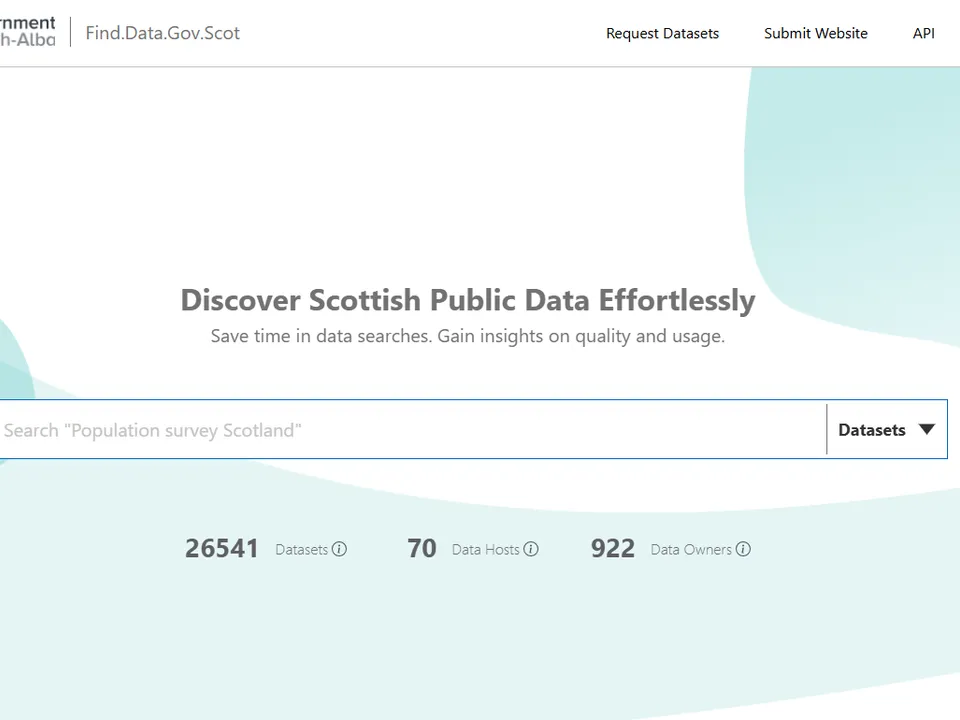
Overview — Find.data.gov.scot is an intelligent search solution that enhances the discoverability of Scottish public data through enriched metadata and AI. Its purpose is to improve awareness of and access to Scotland's public data. How it is used — Researchers, analysts, scientists and policymakers need easy access to relevant data, but discoverability is often hampered by inconsistent metadata and the varied ways data is published, and data providers often lack insight into how their data is used. To address this, the Scottish Government's Digital Directorate and NatureScot partnered with Dtechtive.com through the CivTech programme to create the service. It is Scotland's largest public data search engine, using intelligently enhanced metadata and search algorithms to make data more discoverable regardless of how it is published; because it adopts appropriate metadata standards, the data is also searchable through Google Dataset Search. At its core is an API that can be integrated into other applications so data can be found from anywhere, and it offers data providers insights into user behaviour and metadata quality along with a Language-AI-powered metadata generator to standardise and improve metadata. The platform is continuously expanding with new public and commercial datasets, and users can create free accounts to explore it and provide feedback.

Overview — Connecting You Now is an intelligent virtual concierge assistant that helps users find the right service or product for their needs through conversational AI and back-end machine-learning matching. It is designed to empower digitally excluded communities through an inclusively designed, ethical AI solution. How it is used — It responds to the challenge that, while most of the UK population participates in a digital society, far fewer people with visual or hearing impairments can do so, alongside other digitally excluded groups such as those who find technology difficult to navigate or who do not speak English as a first language. As part of the Scottish Government's equality objectives, a CivTech challenge was sponsored to use AI, data and digital technologies to enable more inclusive access to public services, starting with disabled people, and the Scottish Government partnered with Insights Driven to co-develop the solution. Connecting You Now is an easy-to-integrate software-as-a-service platform that works alongside existing websites: a multimodal AI conversation at the front end understands user intent and sentiment to improve the relevance of the services suggested, while analytics learn from use and feedback to help optimise service descriptions and identify gaps and overlaps in provision. Human oversight — Development and testing use human-centric design and involve people who have a sensory loss, to ground the solution in real experiences. The platform is developed with a commitment to ethical algorithm construction and to using large language models free of discrimination bias, and compliance with the EU Accessibility Directive is ensured through a partnership with NHS 24. Because the system uses commercial AI models that are continually updated, the team has developed an "AI Trust Harness" that tests the solution for bias, accuracy and transparency and monitors for solution drift.
Overview — ChatGPT is an AI chatbot developed by OpenAI (launched in 2022) that uses natural-language processing to understand and respond to human language and to generate human-like text, answers and other content. How it is used — Teams across the Scottish Government use ChatGPT in a number of ways, which may include desk research, exploring alternative approaches and generating ideas, assisting with formatting content, or creating images to support work. This record covers standard ChatGPT use across the core Scottish Government. Scope and limitations — Corporate guidance advises that no personal or sensitive data should be entered into ChatGPT, to avoid any risk to Scottish Government data. The tool also has limitations: it may occasionally generate incorrect information or produce biased content, and its knowledge of world events is not current.

Overview — Brandwatch is a social-listening platform used to monitor topics relevant to policy interests and to carry out desk research to inform communications. The part used here, Brandwatch Consumer Research, extracts insights from public social-media conversations across a wide range of sources (such as X, Facebook, Instagram, YouTube, LinkedIn, Reddit, review sites, news sites, forums and blogs). Most use involves search functionality, but some features use AI to deliver results. How it is used — The Strategy and Insight, Marketing, Strategic Communications and Social Content teams use Brandwatch to monitor the performance of owned social content, evaluate reactions to published content, monitor topics relevant to policy interests, carry out desk research, monitor demographics on X, and monitor and evaluate campaign performance, particularly the reach and engagement of partnerships activity among partners and stakeholders. Some AI-enabled features may be used occasionally: a closed GPT function that summarises the data collected via a query, persona-building in Social Panels, and a query-builder feature. These features can be turned off in the settings if needed. Scope and limitations — Brandwatch is used principally to explore the performance of owned and paid-for content, conduct desk research into attitudes towards a topic when guided by policy requirements, and monitor and evaluate campaign performance; on occasion it is used to evaluate reactions to published content and monitor demographics on X.

Overview — The Artificial Intelligence aided Resource Planner (AIRP) is a cloud-based, AI-enhanced resource-planning tool that enables efficient planning and replanning of resources. How it is used — AIRP is designed to report and update changes to resource-management systems in real time and to allocate and reallocate tasks and resources across offices and teams as priorities or staffing change, including dynamic reallocation where actual volumes or times differ from predictions. It provides timely, automated management information and scenario modelling, links with Scottish Government corporate systems (such as HR) to reuse up-to-date workforce information, and reconciles allocated resources against those actually used to improve future predictions. The aim is a more efficient, stable system that reduces cost and manual data entry and gives both local offices and Scotland-level planners better insight into how time, money and skills are used. It was developed through the Scottish Government's CivTech programme. Human oversight — Human decisions are made to accept or reject AIRP's suggestions, based on knowledge of established ways of working and of the staff involved, information that is not available to AIRP. All updates to AIRP are recorded in a change log, and data is independently analysed by RPID to trace changes to suggestions and check that they reflect expected patterns; any reviews raised through the planning and performance team are investigated by RPID.

Overview — NSCSCS (the NatureScot Statutory Consultation and SSSI Consent Service) is used by NatureScot to bring greater consistency to the SSSI consent, statutory consultation and pre-application decision-making process. Underpinned by InformedDECISION, it provides AI-enabled capabilities and flexible workflows that support a faster, more consistent approach than the previous legacy case-management system, which offered limited support for identifying similar cases or retrieving answers from unstructured documents. How it is used — The service manages all development-management casework (planning, forestry, Electricity Act, transport and harbour infrastructure), CAR licences, marine licences, oil-spill contingency-plan consultations, strategic environmental and environmental impact assessments, SSSI consents and related pre-application consultations. Applications, previously submitted by email, are now made online; staff triage and route cases to the right team, with easy access to information already held in NatureScot systems. It was developed, piloted and rolled out through the Scottish Government's CivTech programme and is provided as software-as-a-service by Informed Solutions. Scope and limitations — The service enables online digital applications for all case types, supports staff in triaging and routing cases, and helps officers review and assess them. It does not automate decision-making, make suggestions about case outcomes, or generate content. Human oversight — All decisions and responses are authored by NatureScot case officers after the system has collated and made relevant information accessible, following a human-in-the-loop model. Applicants who are initially filtered out can contact NatureScot, with their information retained. The service undergoes a quarterly assurance exercise reviewing data quality, user access, data protection and business-continuity controls.

Overview — Dynatrace Davis Copilot is an AI assistant embedded in the Dynatrace platform that helps engineering teams monitor systems, identify likely root causes of incidents and recommend fixes, with the aim of reducing time-to-resolution and unnecessary cloud spend. It learns from live metrics, logs, traces and topology data collected by Dynatrace, presents its reasoning in plain language, and logs every suggestion for audit and improvement. How it is used — It is intended for always-on production, test and staging environments across on-premise, hybrid and cloud estates that are monitored by Dynatrace. It helps teams spot incidents sooner, pinpoint probable fault domains, forecast capacity or cost anomalies and propose remediation steps, respecting the data-residency rules of the chosen region (EU, UK, US, APAC) and existing access policies. Scope and limitations — By default the copilot works in an advisory role, creating dashboards, run-book steps and workflow actions without making changes, though teams can allow auto-remediation under predefined rules. It is not designed to replace human change control, run arbitrary code outside the Dynatrace context, act as a generic chatbot, or make production changes without policy-bound approval, and it does not manage data, financial transactions or customer-support tickets. Its role ends at delivering evidence-backed insights and recommended actions. Human oversight — Implementation, governance and final sign-off remain with the user's operational teams, keeping final control in human hands.

Overview — ScotRedact uses AI to identify and redact personally identifiable information (PII) from official documents due for release, improving accuracy and reducing manual effort. It combines generative AI to identify PII with robotic process automation to remove the appropriate information from a copy of the document. How it is used — The process extracts PII from a document's text and passes it to users for validation. Once validated, it redacts the PII and uploads both a ""marked-up"" and a ""redacted"" version of the document to the document record system. Testing was undertaken to improve and validate the outputs. Human oversight — A human must always review and approve the final output. The user identifies the documents requiring redaction, reviews the document and any identified PII and is responsible for the final decision on what should and should not be redacted, and reviews the redacted document before it is shared or published. This mandatory human-in-the-loop step ensures the accuracy and appropriateness of redactions.

Parlex is a set of tools for policy makers and lawyers to understand the sentiment of parliament by researching topics, parliamentarians and individual debates. It is used by lawyers, legal researchers and librarians to support their work, and is expected to increase the speed of legal research and productivity, with use anticipated across the Scottish Government Legal Division.

Overview — Decisions for Microsoft Teams is a plug-in that provides AI-augmented meeting management, helping users better plan and manage the administration around meetings. How it is used — It integrates with Microsoft Teams and Outlook and supports agenda collaboration, generation and distribution; the recording of minutes, actions and decisions; and the secure storage and distribution of meeting outputs. Its structured agendas, task assignment and decision tracking help teams stay aligned and accountable and reduce administrative overhead, and its audit-friendly features support the traceability and transparency of decisions. Scope and limitations — The tool is currently used within the core Scottish Government and is being tested and piloted within a number of other bodies, including Social Security Scotland.

Overview — Codini is an AI-powered coding platform (developed by EvooSurvey) used to analyse open-ended survey responses through thematic coding and sentiment analysis. It applies natural-language processing to identify themes and sentiments, supporting efficient and consistent qualitative analysis. How it is used — Progressive Partnership uses Codini to analyse anonymised open-ended survey responses collected from the Scottish public as part of a Scottish Government-commissioned study on circular-economy behaviours. Use is limited to Scotland and focused on public attitudes and practices related to the circular economy. It is used only once survey responses have been anonymised and prepared for analysis. Scope and limitations — Codini supports thematic coding and sentiment analysis to help identify patterns and themes in qualitative data. It does not perform automated decision-making, profiling or predictive modelling, does not generate insights independently, and does not interact directly with data subjects. Its role is limited to assisting researchers in organising and interpreting qualitative data. Human oversight — Researchers at Progressive Partnership review and refine the AI-generated coding to ensure accuracy, and data is deleted on completion of the project.

Overview — This proof of concept examines whether AI can assist with the redaction of sensitive information within Scotland's Children's Hearings System, the statutory system of care and justice that makes decisions about compulsory measures of supervision for children and young people in need of care, support and protection. It forms part of SCRA's wider AI programme, which identifies and tests potential applications of AI in the Children's Hearings System, based on engagement with staff about how AI might address common challenges and free up staff to better support children and families. How it is used — SCRA safeguards children partly through non-disclosure provisions, which allow information that would otherwise be shared to be withheld from an individual, for example withholding address information where a child's whereabouts must not be disclosed to a parent, by redacting it from materials issued for Hearings. In this proof of concept, the AI scans the text of multiple documents to recognise patterns of words and phrases that should not be disclosed and highlights them as suggestions to the staff carrying out redaction. It draws on the non-disclosure information held in SCRA's case-management system, such as a child's, parent's or carer's name or address, and places such as their school or medical centre, and learns to identify patterns indicating the whereabouts of a child, applying this across other reports and documents. Human oversight — The redaction itself is not automatic. Staff check the AI's suggestions and remain responsible for reading through reports to identify any information not previously considered for redaction, such as the name of a sports or youth group a young person attends. Overall accountability for redaction remains with human decision-makers. Assessment and impact — The tool will be tested on 50-100 cases over three months to establish how long AI-based redaction takes, how accurately it identifies the required information, the number and causes of any data breaches, and staff confidence in using it. As with the related proof of concept, a wider research project is gathering the views of children, families, carers, social workers, safeguarders, advocates, solicitors, SCRA staff and panel members on the ethics, rights and legalities of using AI, and equality and human rights, children's rights and data-protection impact assessments have been undertaken.

Overview — This proof of concept examines whether an AI tool can support the preparation of accurate witness statements within Scotland's Children's Hearings System, the statutory system of care and justice that makes decisions about compulsory measures of supervision for children and young people in need of care, support and protection. It forms part of SCRA's wider AI programme, which identifies and tests potential applications of AI in the Children's Hearings System, based on engagement with staff about how AI might address common challenges and free up staff to better support children and families. How it is used — When a child or young person is referred to SCRA, a Children's Reporter assesses whether there is evidence that compulsory intervention is needed and, if so, arranges a Children's Hearing; where the child or family does not accept the reasons, SCRA may go to court, and the Reporter asks individuals concerned about the child to give evidence. In this proof of concept, Children's Reporters use a web-based transcription tool to record and transcribe interviews with prospective witnesses, and the transcripts are turned into witness statements in line with SCRA's practice standards. Human oversight — Although the initial witness statement is generated automatically, both the Children's Reporter and the witness are responsible for verifying its accuracy: the Reporter checks and corrects the transcript and edits the statement to ensure it is accurate and relevant, and the witness is given a copy to confirm it accurately reflects their evidence. Assessment and impact — The tool has been piloted by at least 14 councils in England and Wales, where evaluations in social-work services indicated high accuracy and a significant reduction in administrative burden. SCRA is further assessing its accuracy in the Scottish legal context through focus groups with Children's Reporters, the logging of errors fed back to managers and developers, and a research-team assessment of transcription accuracy across different accents, ages, genders and ethnicities, compared with other transcription services and human transcription. In parallel, a wider research project is gathering the views of children, families, carers, social workers, safeguarders, advocates, solicitors, SCRA staff and panel members on the ethics, rights and legalities of using AI, and equality and human rights, children's rights and data-protection impact assessments are being undertaken.

Overview — Cursor is an AI-enabled integrated development environment (IDE), built as a fork of Visual Studio Code, that analyses full project context to offer code completions, multi-line refactorings, chat-style code queries and edits within the developer's editor. How it is used — It assists developers by providing context-aware code generation, bug detection and refactoring. It operates under three privacy modes (No-Storage, Privacy Mode and Standard) and holds SOC 2 Type II certification; privacy and usage settings can be managed per team, with Business and Enterprise plans enforcing full privacy mode by default. Scope and limitations — Cursor is designed to assist developers with context-aware code generation, bug detection and refactoring. It is not designed to store or train on user codebases when Privacy Mode or No-Storage Mode is enabled. Human oversight — Developers remain fully responsible for reviewing and accepting AI-generated suggestions; Cursor does not autonomously commit code, and human review remains mandatory. Concerns about suggestion accuracy or privacy incidents are handled through existing code-review and IT escalation processes, and issues can be escalated to Cursor support if required.

Overview — Amazon Q Developer is a generative-AI assistant (built on Amazon Bedrock foundation models and augmented with AWS-specific content) that supports software development and operations. It provides agentic coding, code generation, inline completions, unit-testing suggestions, vulnerability scanning, documentation generation and infrastructure analysis. How it is used — It works within IDEs (such as VS Code, JetBrains, Visual Studio and Eclipse), the AWS Management Console, the AWS Console Mobile app, the command line, and chat apps such as Teams and Slack. It is used to assist with AWS application development, operations, resource troubleshooting, code refactoring, documentation creation and cloud cost analysis, with access controlled through AWS IAM governance and managed service-linked roles. Scope and limitations — It is not intended for autonomous decision-making; developers retain responsibility for final code and actions. Human oversight — Developers remain responsible for reviewing and approving all code generated by Amazon Q Developer, which does not autonomously make production commits, so human supervision is required and the system does not override user decisions. Concerns about accuracy, security suggestions or behaviour are escalated through existing developer-review and AWS support channels, with governance managed via IAM identity and internal escalation protocols.

Overview — MaxQDA with AI assist is qualitative-analysis software used to code and analyse textual research data. The Social Research Profession is trialling its AI-assisted features to evaluate whether they can speed up qualitative analysis and improve its quality. How it is used — Within the profession's ethical guidelines, the tool is being piloted across a range of analytical scenarios using qualitative (free-text) social-research data such as consultation responses and transcriptions of interviews and focus groups. Researchers use it to code data and query those codes in thematic analysis; the AI features can generate summaries of codes and coded text and support querying the documents to understand them better. Scope and limitations — The trial is restricted to MaxQDA with the AI assist add-on; other add-ons (Transcription, Team Cloud and Tailwind) are not included. Social-research policy is that the tool is used only as an adjunct, secondary to the primary analysis, which is conducted by qualified researchers.

Overview — BobbAI is an AI-powered business-support assistant that delivers personalised support to entrepreneurs and early-stage SMEs. It aggregates, tags and analyses information from the business-support ecosystem, such as funding opportunities, programmes, events and guidance, and delivers it through conversational interaction and tailored reports, with the aim of reducing information overload and improving access to relevant, timely support. How it is used — BobbAI helps entrepreneurs and early-stage SMEs discover, understand and prioritise business-support information, acting as an intelligent filtering and decision-support layer that matches information from multiple sources to a user's stated needs, business stage and objectives. Business-support organisations and public-sector stakeholders also use aggregated, anonymised insights to inform service design and prioritisation. It is currently delivered under a Scottish Government CivTech pre-commercial agreement. Scope and limitations — BobbAI provides summaries, signposting and contextual recommendations to help users make their own informed decisions. It is a non-authoritative, advisory tool: it does not make or enforce decisions on behalf of users, determine eligibility for funding or programmes, provide legally binding or professional advice, assess creditworthiness or risk, generate policy, or operate autonomously. It is not designed for high-risk or safety-critical use. Its outputs are intended to complement, not replace, guidance from qualified advisors, public agencies or professional services. Human oversight — BobbAI does not replace or automate human decision-making; all decisions remain with users and stakeholders. Entrepreneurs decide whether to apply for funding, attend events, engage with programmes or seek professional advice, and stakeholders do not rely on BobbAI for determinations affecting individuals. Platform administrators review outputs, monitor performance and intervene where issues arise. Individuals affected by the system can request a review, raise concerns or provide feedback via an on-platform contact; submissions are reviewed by the platform team and escalated to the Economic Directorate where relevant, and a steering group oversees performance, risks and issues.

Overview — The AI Summary Generator on the Scottish Government's Pathways digital learning platform creates concise, AI-generated summaries for a range of content types, including PDFs, articles, videos and learning pathways. How it is used — For items such as PDFs, pathways hosted on the platform, articles and videos with an uploaded transcript, a "Summarise" button is available. Selecting it provides users with an automatically generated summary of the content. Summaries are generated exclusively through OpenAI and Gemini using anonymised, scoped data. Human oversight — The tool is GDPR compliant and operates within an ISO 27001-certified infrastructure. Customer data is never used to train the AI models, and all interactions are logged and auditable.

Overview — GCS Assist is a secure, generative-AI conversational tool built by government communicators for government communicators. It helps users brainstorm, create first drafts and review work more efficiently, with outputs designed to follow Government Communication Service (GCS) policies and standards. How it is used — Responsible use has guided its design, informed by the GCS Framework for Ethical Innovation and the GCS Generative AI Policy. Before using the tool, users must complete a bespoke "AI for Communicators" training course on the safe use of AI in the workplace. Assist provides more than 50 communications-specific pre-built prompts reflecting the typical daily tasks of a government communicator, spanning all seven GCS disciplines. Scope and limitations — Assist is designed to enhance rather than replace communicators' skills: human quality control is central to the tool, and its outputs are suggested first drafts that users develop further using their own critical thinking and judgement. The tool is currently used by a number of teams in the core Scottish Government and National Records of Scotland.

Overview — This use case aims to improve how the Scottish Government creates, receives and processes the large amounts of structured, semi-structured and unstructured data and information it holds, by testing new ways of making connections between them. How it is used — Two pilot areas were identified to test new approaches: improvement activity across the Scottish Government, and Programme for Government templates. The Scottish Government currently relies heavily on people to make connections between structured and unstructured information, using approaches that require significant design and governance and may not keep pace with constant change. Newer technologies, such as AI, semantic data and graph databases, have the potential to let computers do more of this work and to keep the structures current as the environment and language change. Working with Wallscope in a secure, private environment, the project centres on building a knowledge graph from sample data (Improvement Activities and Programme for Government) that contains both structured and free-text references, extracting key concepts to reveal relationships between data, organisations, people, places and other relevant concepts. Scope and limitations — The project uses sample data within a secure, private environment and currently applies a hybrid approach with manual cleaning of results, given the small data volume. Any future deployment would be expected to use more fully automated processing once the models are trained on sufficient data.
No systems match your search. Try a different term or clear the stage filter.